
Baseball Training Tracker
Engineered a shoulder-worn BLE motion sensor and iOS/Android companion app for baseball training, streaming 20 Hz three-axis motion data into a live session chart, rep counts, and per-athlete training history.
Overview
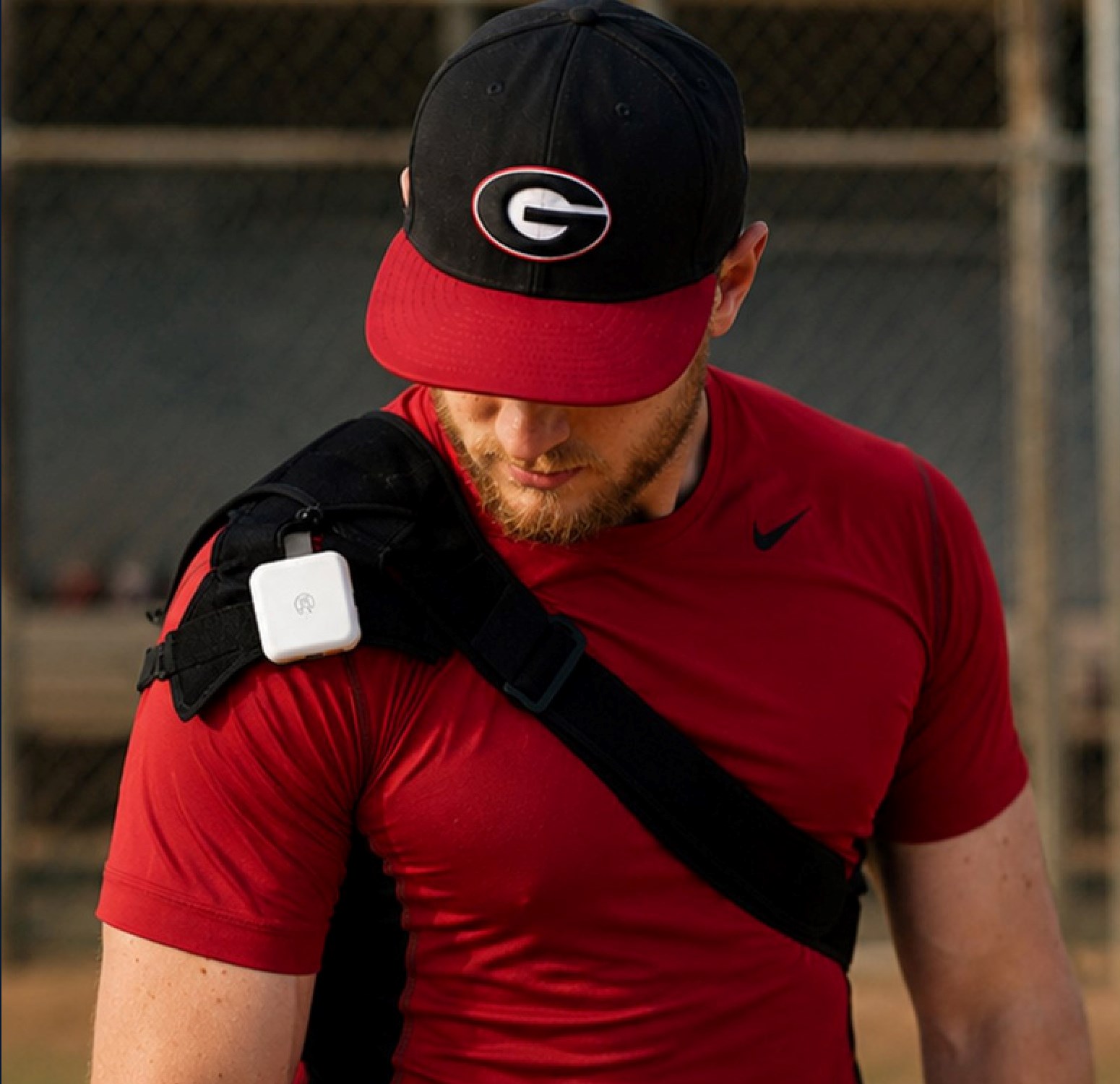
Baseball Training Tracker replaces observation-based coaching with a shoulder-worn nRF52 sensor that streams live motion data to a mobile app, so an athlete and a coach can see the same rep the same way and follow progress across weeks of training instead of relying on memory.
Highlights
- Shoulder-worn nRF52 motion sensor streaming to iOS and Android over BLE at 20 Hz
- Live session chart with peak value, threshold line, and rep count
- Athlete profiles with saved session history, search, and CSV export
- Four subscription tiers, from a free tier to Coach Pro for up to 200 athletes
Challenges
- Keeping motion capture accurate through hard swings and throws without clipping.
- Holding a stable BLE link during fast, high-impact movement on the field.
- Never losing a rep when the phone connection drops mid-session.
- Making live motion data readable to both the athlete and the coach in the moment, not after the fact.
Solutions
- Built the sensor around a Nordic MDBT50Q (nRF52) module with a high-G three-axis accelerometer sampling at 20 Hz.
- Buffered the running session in on-board flash and handed it back to the app automatically on reconnect.
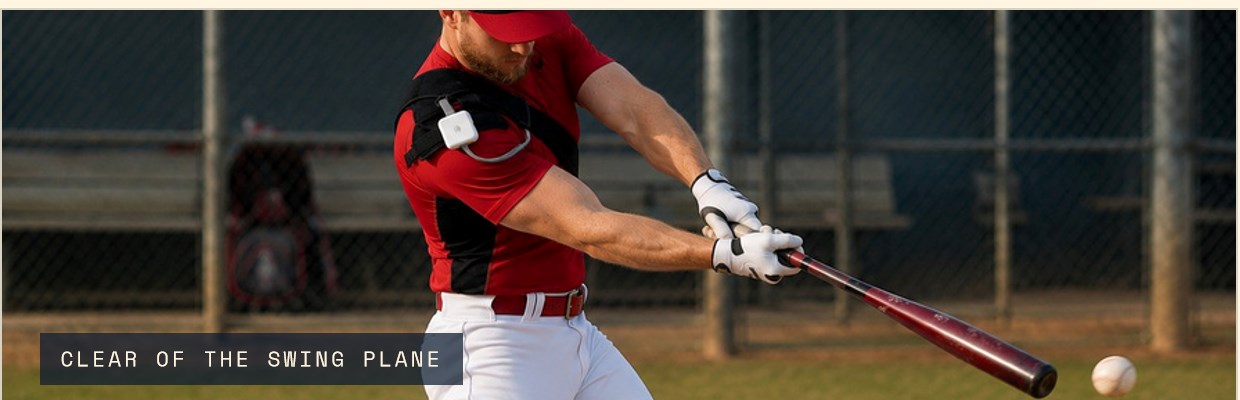
- Shaped a low-profile moulded shell and woven strap that sits on the throwing shoulder, clear of the swing plane.
- Built the app around a live chart, an end-of-session summary, and per-athlete profile history.
Features
- Connected / Reconnecting / Disconnected status with automatic reconnection
- Live chart with target threshold, peak value, and rep count
- Session summary with highlights, best rep, and save-or-discard choice
- Athlete profiles with photo, age, position, and throwing hand
- OTA firmware updates over BLE with version tracking and rollback protection
Key Results
- Delivered a working MVP spanning sensor firmware, enclosure, and iOS/Android app as one build.
- Reached a stable 20 Hz BLE data stream with on-board flash buffering for dropped connections.
- Shipped Free, Solo, Family, and Coach Pro tiers covering a single athlete up to a 200-athlete roster.
Movement in practice is usually judged by eye, so two people watching the same rep often describe it differently, and there is no simple way to follow motion data across weeks and months of training.
The shoulder sensor samples three-axis acceleration on a high-G accelerometer at 20 Hz and streams it to the app over Bluetooth Low Energy from a Nordic MDBT50Q (nRF52) module, buffering to on-board flash if the link drops.
The app charts every rep live, marks the session's best value, counts reps above a chosen threshold, and lets the athlete save or discard the session at the end.
Sessions are saved to an athlete profile, ready to search by date, review in detail, and export as CSV, with Family and Coach Pro tiers covering multiple athletes and full rosters.
A closer look
Worn through the swing
The sensor sits on the throwing shoulder and stays clear of the bat path, so the athlete swings normally while acceleration is recorded.
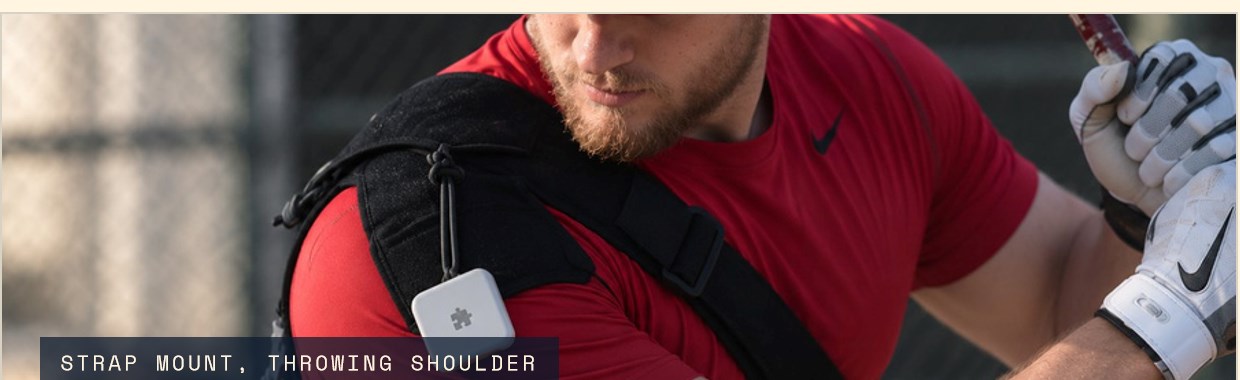
One repeatable position
A moulded shell on a woven strap clips over the shirt and holds the same position every session, which keeps readings comparable week to week.
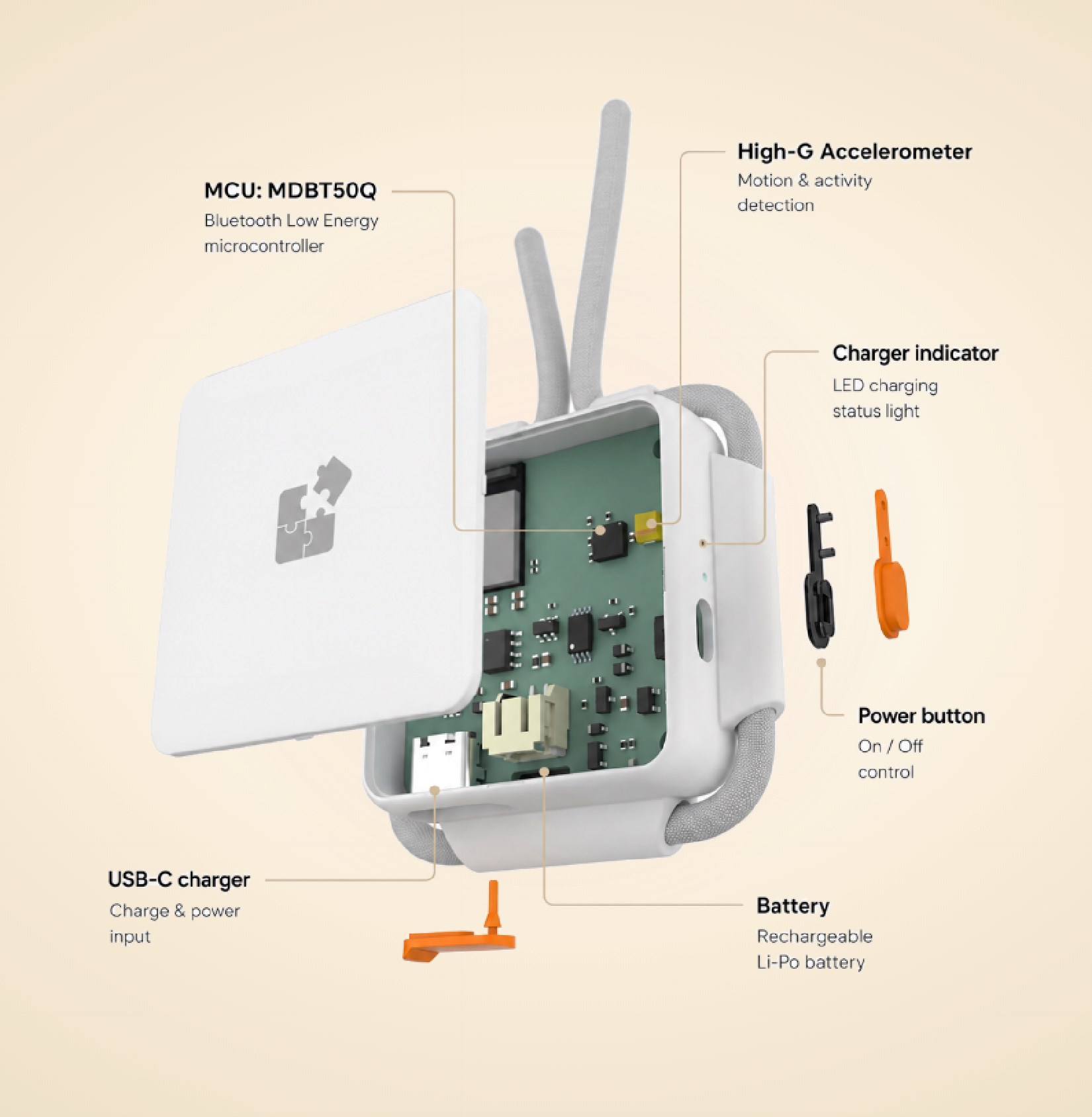
Inside the board
A high-G three-axis accelerometer and a Nordic MDBT50Q module stream at 20 Hz, alongside a Li-Po battery, USB-C charging behind a sealed cover, and on-board flash for buffering.
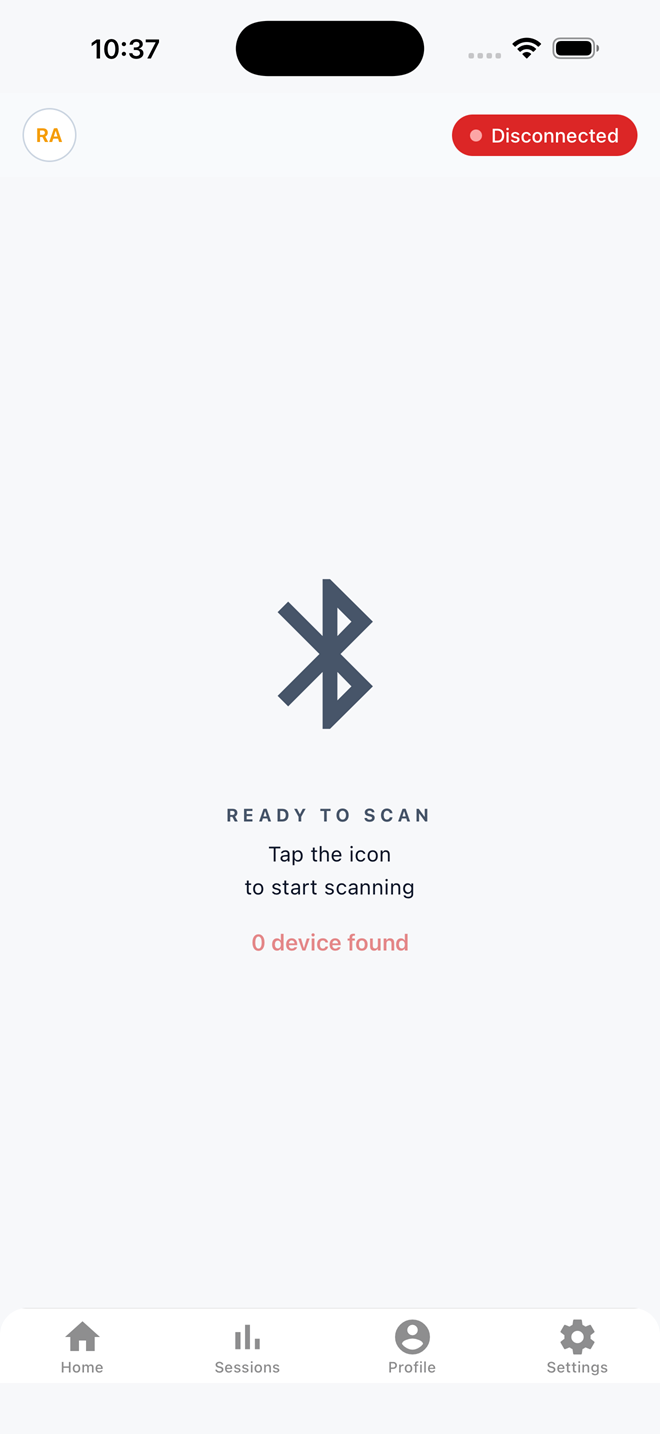
Pairing the sensor
The app scans over Bluetooth Low Energy and always shows one of three states: Connected, Reconnecting, or Disconnected.
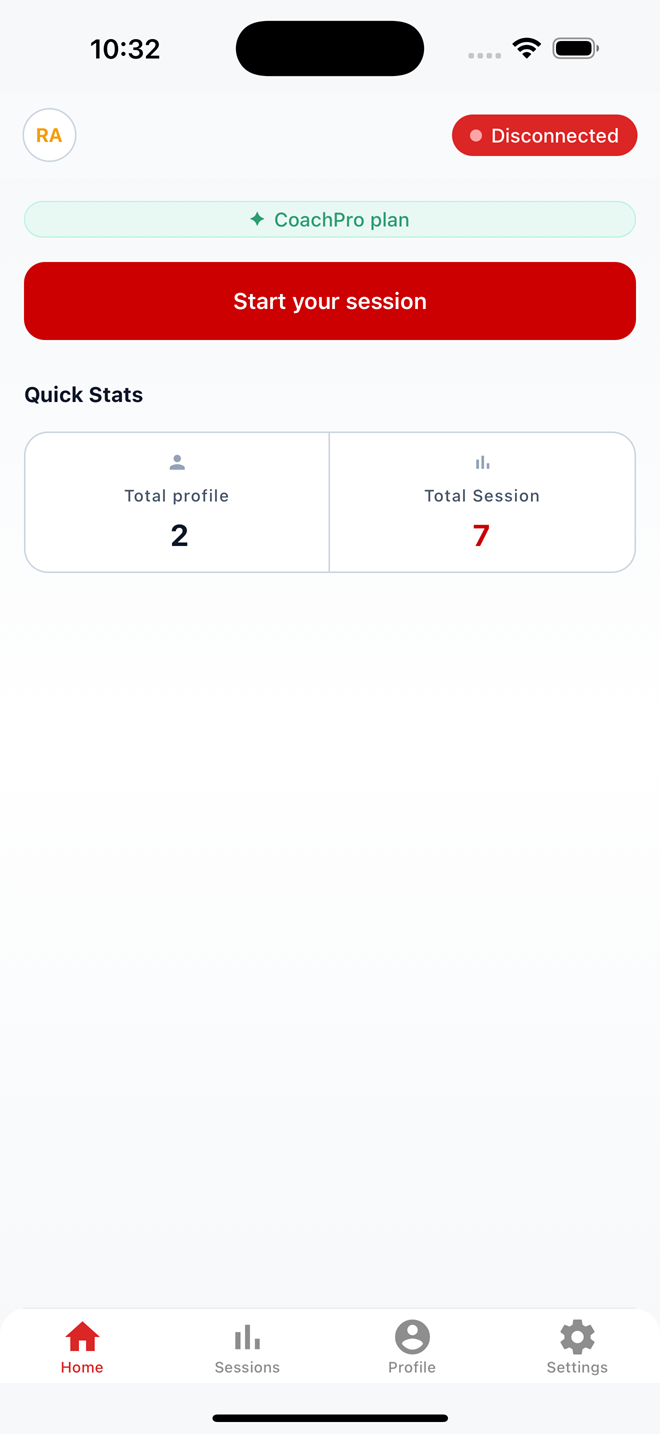
Home
Connection state, the active plan, and quick stats sit on the first screen, one tap away from starting a session.
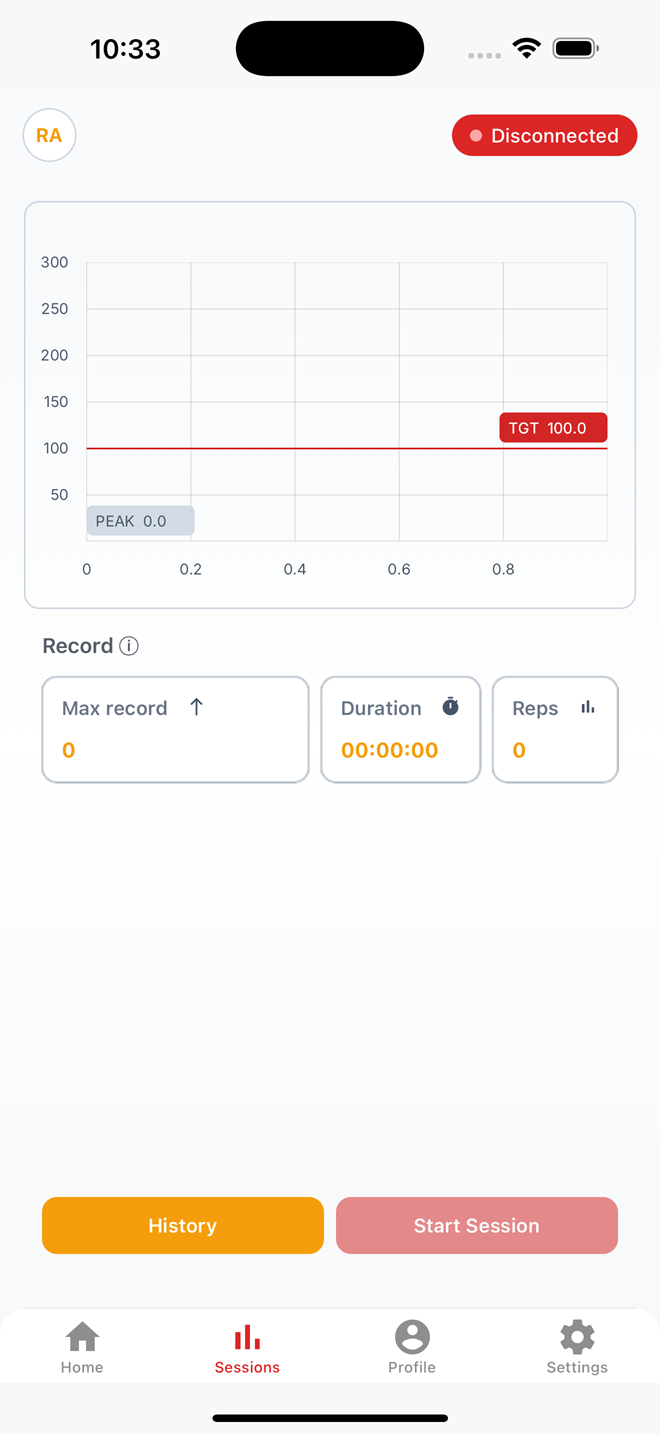
Live session
The chart draws motion as it arrives, with the target line set before the first rep and peak, duration, and rep count updating while the athlete works.
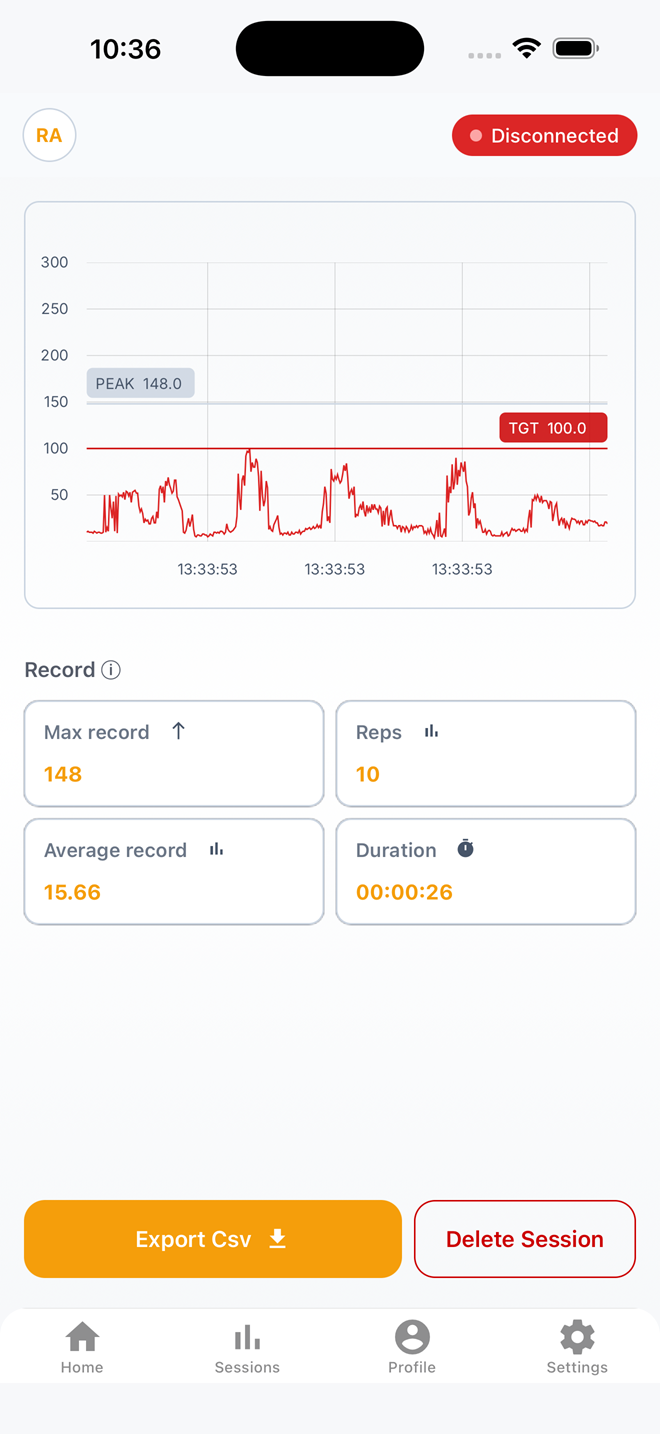
Session detail
Every session closes with peak value, rep count, average, and duration, ready to export as CSV or discard.
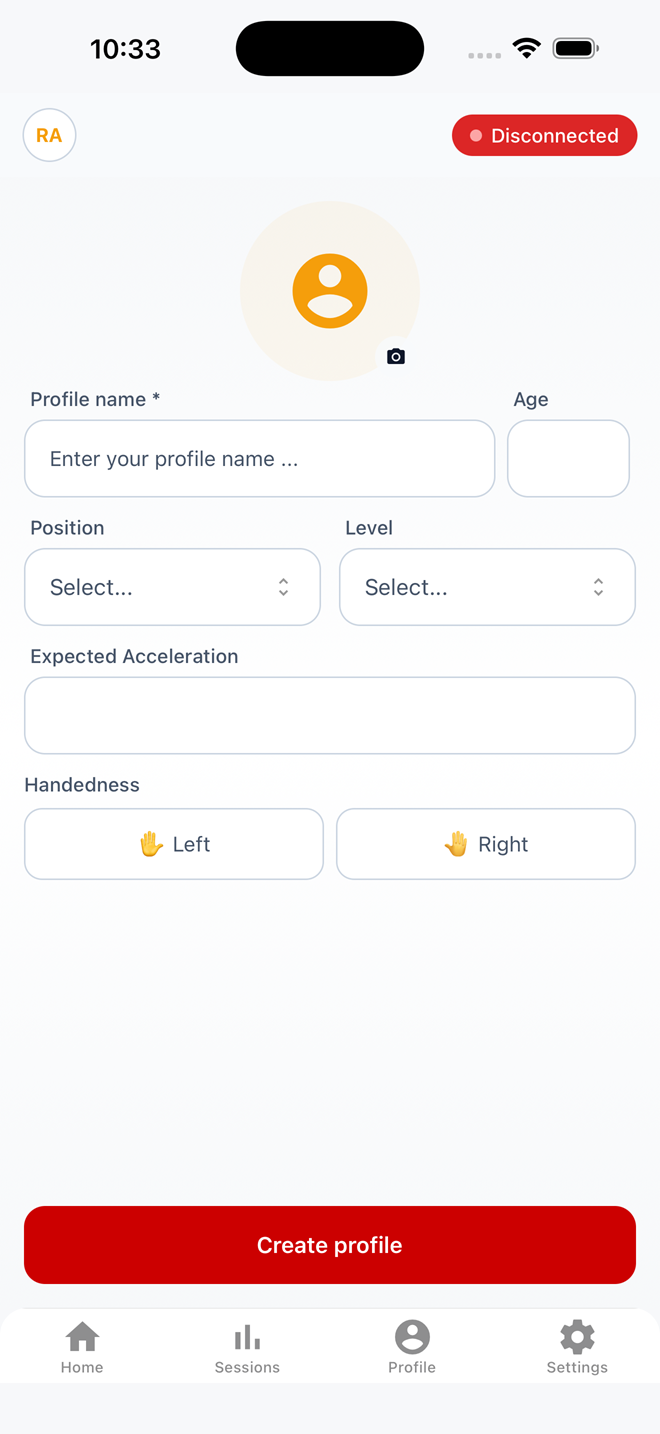
Creating an athlete
A profile takes a name, age, playing position, level, expected acceleration, and throwing hand.
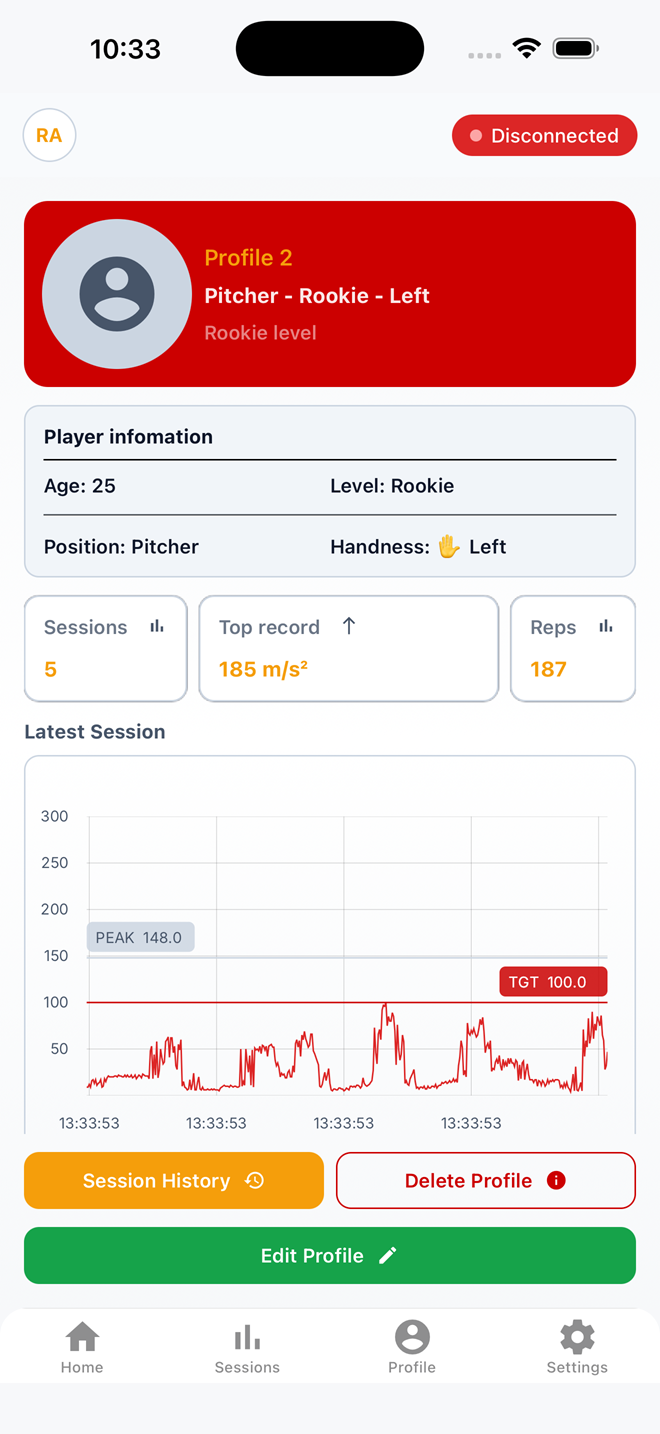
Athlete profile
Player information sits above session count, top record, and total reps, with the latest session charted underneath.
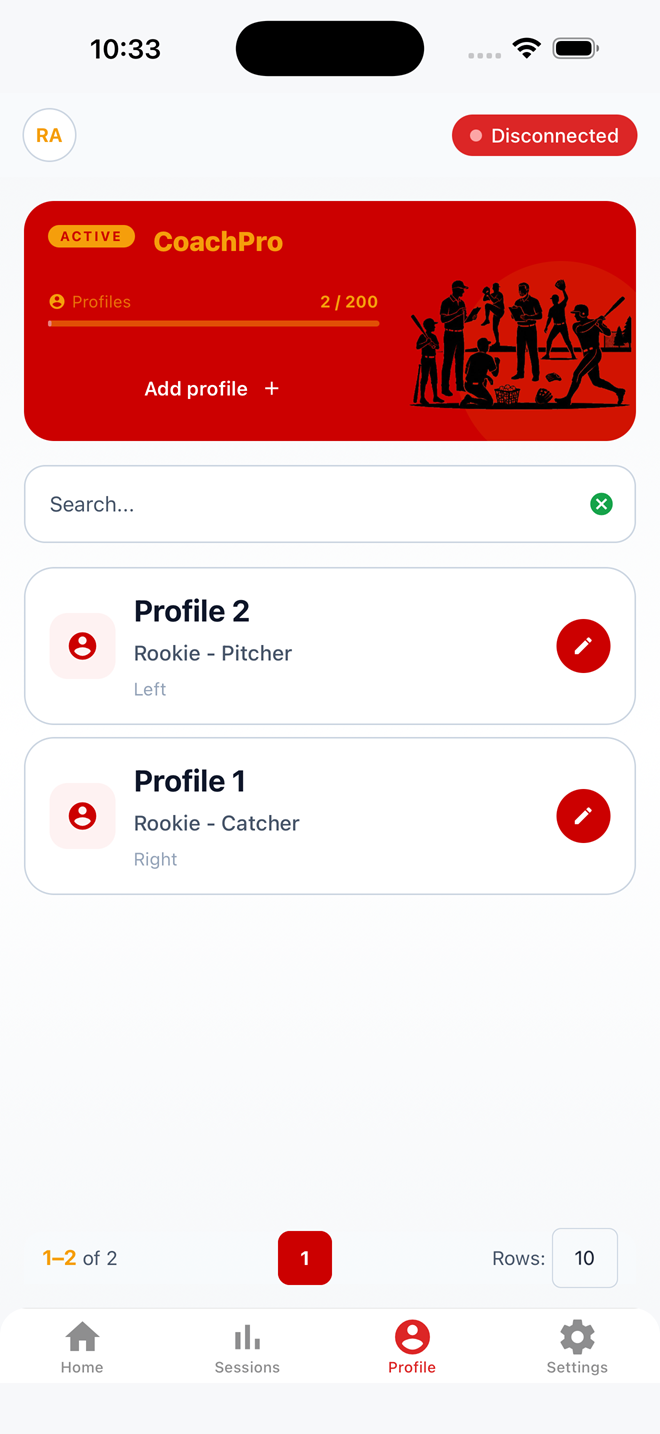
A roster in one place
Coach Pro holds up to 200 athlete profiles, each searchable and carrying its own training history.
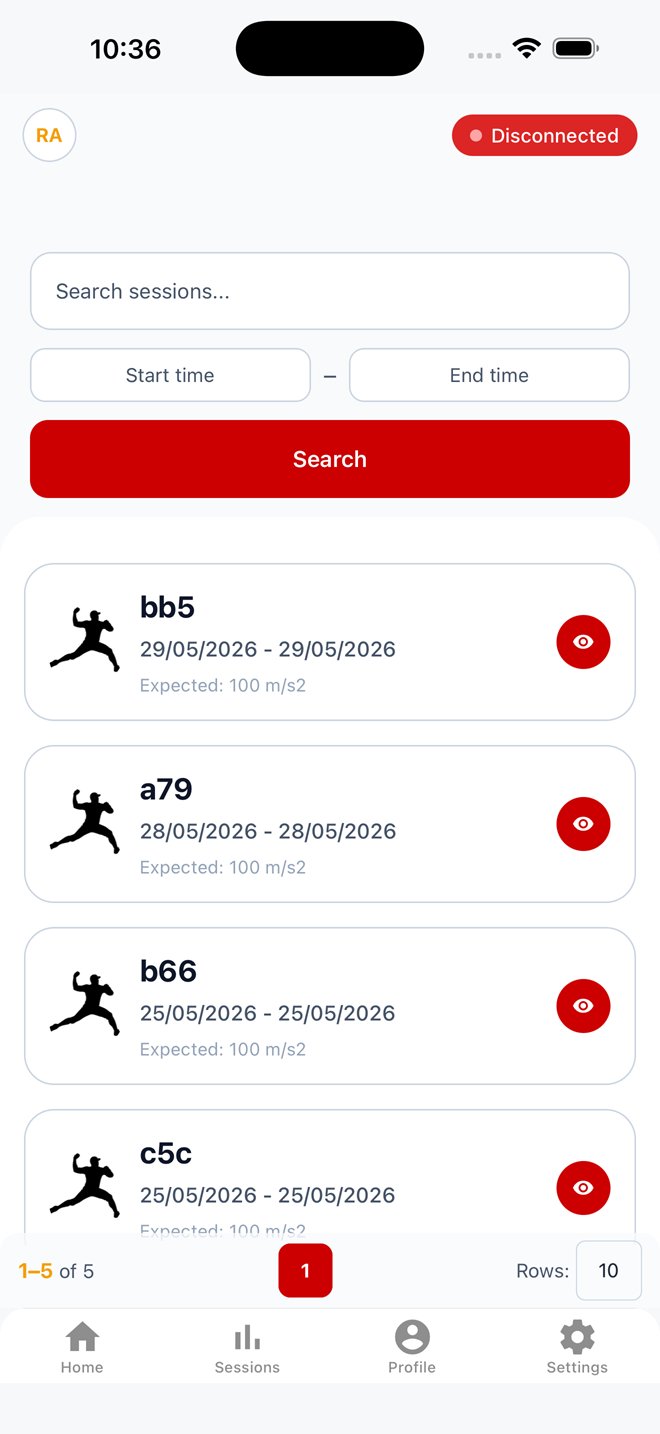
Session history
Sessions are searchable by name and by date range, listed with the expected acceleration for each one.
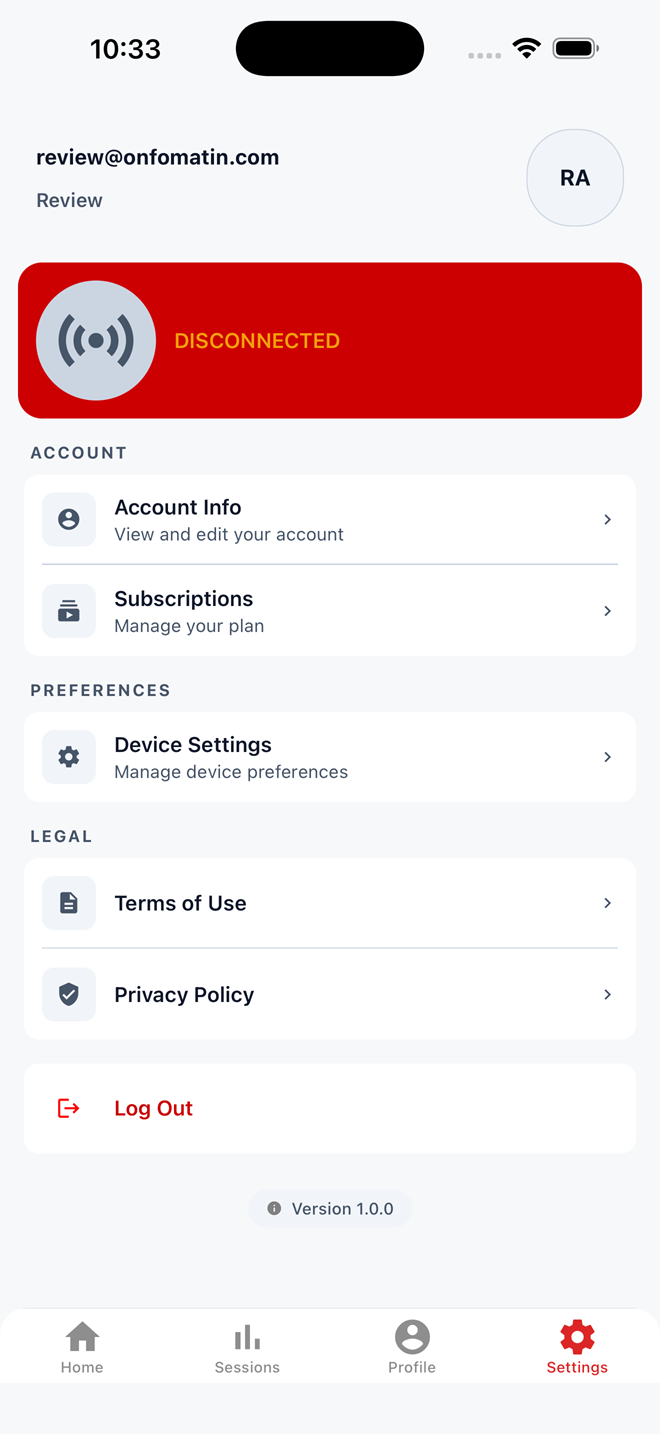
Account and device
Account info, subscription, device preferences, and legal documents live under settings, with the connection state pinned at the top.